Free tier open to everyone. Paid licences are in closed beta, on request.
Turn a static site into a real WordPress theme.
Pixel-perfect. 1:1 with your design.
A Claude Code and Codex plugin that converts a static HTML site, or anything that builds to one: Lovable, Bolt, v0, Claude artifacts, Next.js export, hand-written pages. What ships is your markup, not a page builder's rebuild of it.
Converted with html2wp
Six sites, running on WordPress right now
Each one started as an export or a folder of HTML and came back as a theme of its own. These are not mockups: open them, and open the admin behind them.
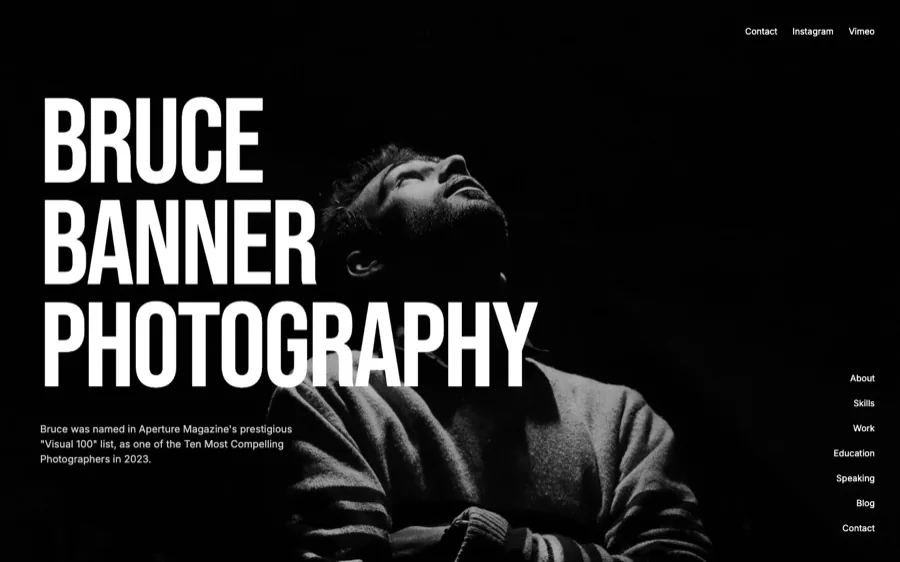

WooCommerce
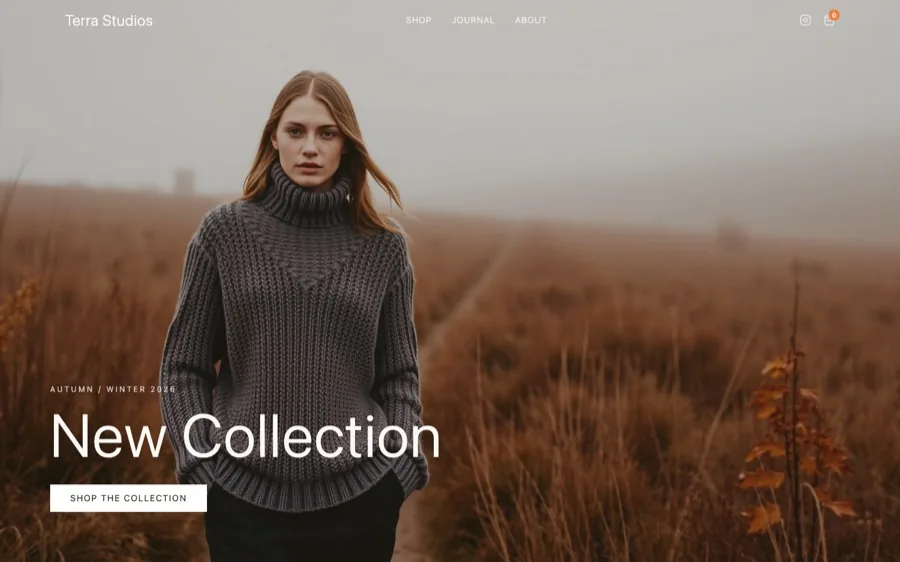
Terra Studios
Handcrafted knitwear, on WooCommerce
8 pages
12 products
terra-studios
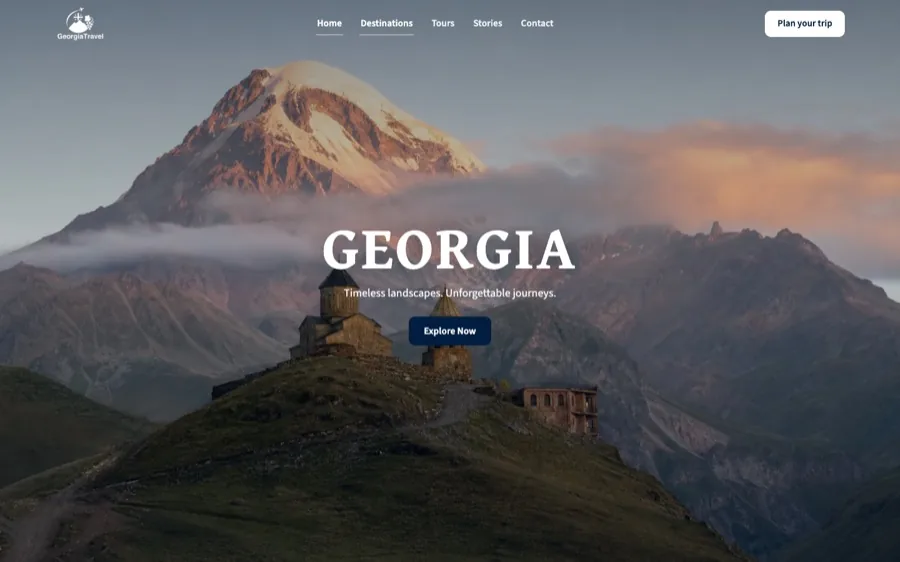
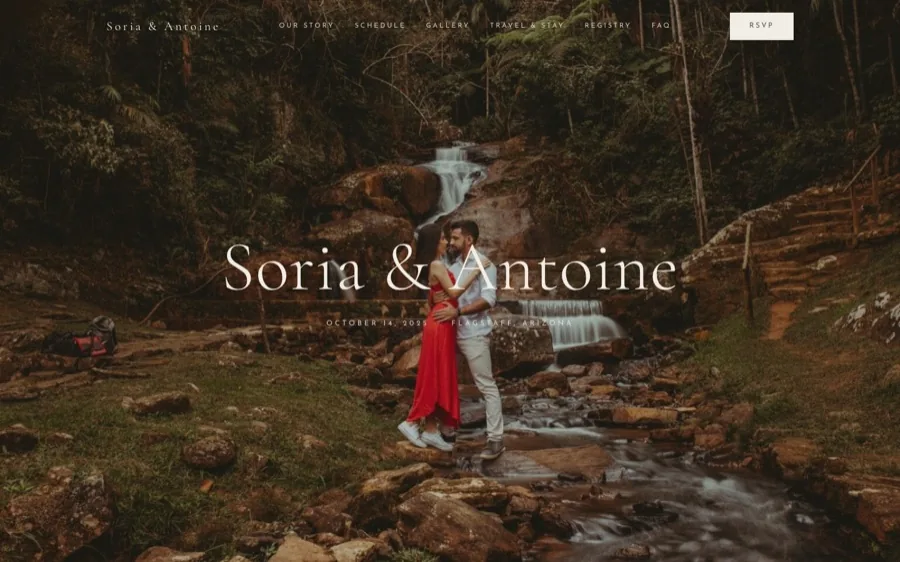

Sign in demo / demo
Two ways in, and only one of them is gated
The free tier is open to anyone, right now. Install the plugin and convert: three conversions of up to five pages each, and five re-runs to share between them: no key, no sign-up, no card. Both counts are per IP address, so an office on one shared IP has a single free allowance between everyone, not one each. Converting a shop needs a licence. It is for evaluation, personal sites and other non-commercial work.
The paid licences are in closed beta, and there is no checkout yet. They go out by request to agencies, and to freelancers with a profile and references you can point at: your own site, an Upwork profile, or another platform where your work and your reviews are public. A licence is what covers client work.
It converts real sites and is used on real work, but the gates catch most fidelity drift, not all of it. The last stage of every conversion is your own page-by-page review, and the skill walks you through it. Do not promise a client a result you have not looked at.
1:1
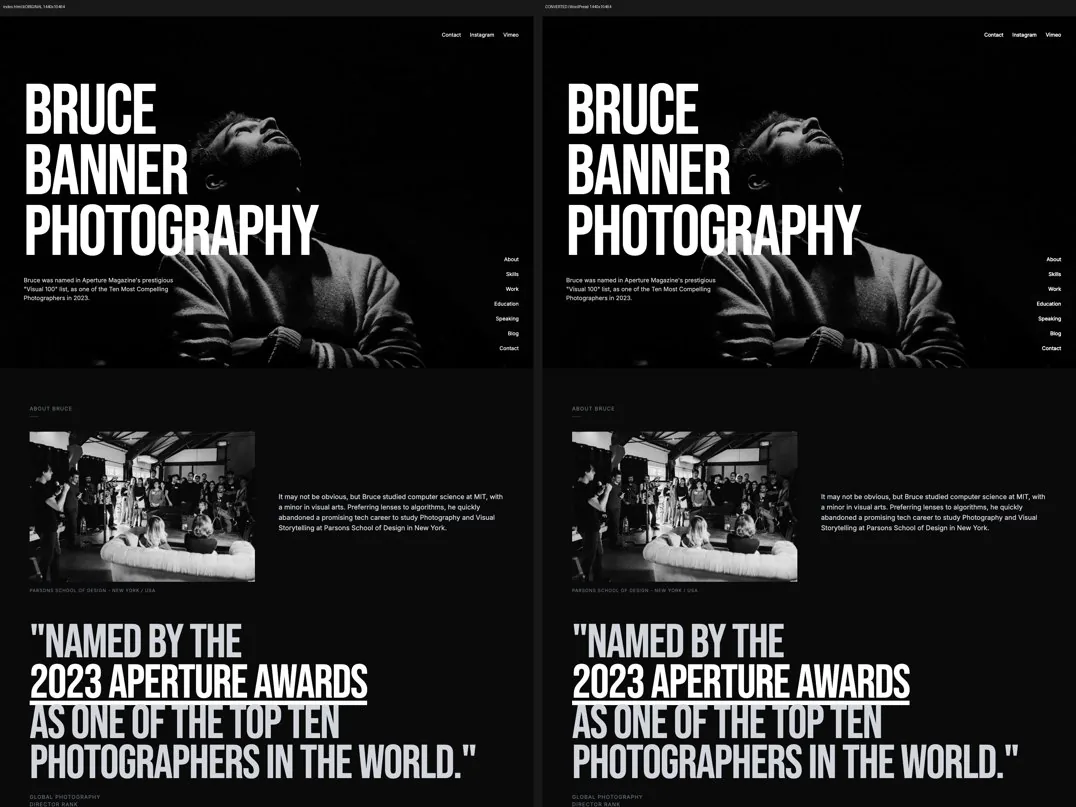
The converted page against your original, compared at three viewport widths
2
Hosts it installs into: Claude Code and Codex, same scripts, same version
0
Servers the delivered theme talks to at runtime, ever
7
Days before the uploaded workspace is deleted
How it works
One line, in the directory you want converted
No npm install, no build command, no configuration. Then two to three hours on average, mostly unattended.
- One line, and it decides which page is which
- It builds, converts and verifies
- You read every page, then ship
One line, and it decides which page is which
In the project directory, one line and one enter. It checks the machine first and names anything missing. Then it reads the site and decides what each page is — home page, blog listing, articles, products — prints those decisions, and carries on without making you confirm them. It stops to ask only where guessing would be wrong: a site larger than your allowance, or two pages claiming to be the same one.
It builds, converts and verifies
Your machine does the browser work: prerendering, screenshots and structural comparison, and a throwaway WordPress in Docker for the final checks. The service generates the theme. Every stage ends in a gate, and a failed gate stops the pipeline.
You read every page, then ship
For every page you are shown the original and the converted page side by side in one image, and you say what you see. Scripts measure; this step judges. The skill will not call a conversion finished until it is done.
The conversion
A finished design, not a starting point
The client wants WordPress. Hand-porting the design into a page builder is the step where it stops looking like your design. This does not port it: the markup you shipped is the markup that ships, so the result is 1:1 rather than a close approximation of it.
Your markup gets replaced
The builder rebuilds your sections out of its own components. What ships is its markup, not yours.
The design drifts
Spacing, type scale and breakpoints get re-approximated by hand, a little differently on every page.
You are tied to the plugin
Turn the builder off and the pages come apart. The design is now a hostage.
Pixel-identical, not "close enough"
No page builder and no rebuild: your own markup, as readable PHP, CSS and JS. Every page is put beside the original at three viewport widths before it is handed over.
Standalone by default
Pages, blog, forms, menus, SEO and redirects are the theme's own code and work with no plugin at all.
Nothing is held hostage
Your output is yours, unconditionally: use it, sell it, hand it to a client, publish it. That does not depend on holding a key.
Deliverables
What you end up with
An installable theme, a report of everything that happened, and, while your Visual Edit licence is live, the editor.
The theme, as an installable zip
WordPress, Appearance, Themes, Add New, Upload. It refuses to build a broken one: PHP that does not lint, a missing content bundle, a wrong-sized screenshot, or a shop you could not actually buy from.
- Readable PHP, CSS and JS, no lock-in
- Pages, blog, forms, menus, SEO and redirects, with no plugin
- The delivered site talks to no server of ours, ever
theme/
├─ templates/
│  ├─ front-page.html the front page
│  ├─ index.html      the fallback
│  ├─ single.html     one post
│  ├─ page.html
│  └─ 404.html
├─ parts/
│  ├─ header.html     native menu
│  ├─ header-2.html   a second design
│  └─ footer.html
├─ patterns/
├─ inc/               the theme's own runtime
├─ assets/            css, fonts, images
├─ theme.json
└─ style.css
// pages converted, menus wired
pages:     7 of 7
menus:     wired

// every finding from your review
// every warning from every stage,
// including the ones judged acceptable

// and anything left for you to do
todo:      2 items
A conversion report
Pages converted, menus wired, every finding from your review, every warning from every stage including the ones judged acceptable, and anything left for you to do.
- Written as the run happens, not reconstructed after
- The warnings a person judged acceptable are in it too
- It is the thing you hand over with the theme
The review you cannot skip
The numeric gates pass things a person would reject. A dropped below-the-fold section once scored 0.4% on the pixel comparison, comfortably green. That is why the last stage is a person, and why it is not optional.
- Every page, original and converted, side by side in one image
- You say what you see, and it goes into the report
- Fixing how a page was described and running again is a re-run
visual-edit.zip, if the conversion was licensed
A conversion without the editor ships the theme alone and it is fully usable. The editor is an extra, not a missing piece.
- Click-to-edit text, images, links, forms and menus
- Pro adds AI chat editing with your own API key
- The markup stays 1:1 with the design while you edit
Data
What leaves your machine, exactly
There is no way to convert a site without sending it, and any wording suggesting otherwise would be false. So here is the whole of it.
The built site goes up
Your built output and the manifest of decisions you made, uploaded to api.html2wp.dev, because that is what the conversion is performed on. Not your input directory, not node_modules.
deleted after 7 days
a digest survives, so a re-run counts as one
a digest survives, so a re-run counts as one
Credential-shaped files do not
Stage 1 keeps .env files, keys, .npmrc, .netrc, .ssh and .aws out of the payload, along with anything containing a private key block. Everything it dropped is named in the report.
a whitelist, not a filter
a field nobody anticipated cannot leak through
a field nobody anticipated cannot leak through
The gate results come back
Gate names, pass or fail, page counts, the worst fidelity percentage, and the page keys that failed. No URL, no domain, no markup, no copy, no screenshots, no file paths, no licence key, no site name.
check it yourself:
send-verdicts.sh --dry-run
send-verdicts.sh --dry-run
Inputs
Anything that is, or builds to, a static site
The input is always something on your disk. A live URL is not an input: convert what the site is built from, not what a browser happens to render.
Lovable
Bolt
v0
Claude artifacts
Next.js export
Vite
Astro
shadcn
Hand-written HTML
A project that builds to a site
Say convert this project. A Lovable app is React: one index.html with an empty mount node and a script. So it builds the project, opens it in a real browser, and records each route as flat HTML.
A folder of finished HTML
Say convert ./that-folder. A path is a complete answer, and the pages with their assets go through the same pipeline.
Including the state after JavaScript
Open accordions, scroll-triggered classes, dropdown contents: the state that only exists once scripts have run is recorded, and becomes part of the pages it converts.
The blog becomes real posts
On every tier. A shop becoming WooCommerce is the licensed stage, and it is the only part of a site with a shop that needs a key.
Free now, licences by request
Five conversions, free, and the editor for thirty days
Anyone can take the free tier today. A licence, which is what client work needs, is in closed beta: you write, a key comes back by email, and it carries enough to put real client work through it and judge the result properly. What it costs afterwards is on the pricing page.
| A beta licence key | What it carries |
|---|---|
| Conversions | 5, free |
| Visual Edit Pro | free for 30 days |
| Commercial use, client work | yes, that is what the key is for |
| Pages per conversion | 20, or uncapped on an agency pool licence |
| Re-runs | unlimited |
| Blog to WordPress Posts | included |
| Shop to WooCommerce | included |
| The theme itself | identical to what any conversion produces |
The licence, in one sentence
The licence never buys fidelity. Every conversion produces the same theme: what a key buys is page headroom, re-runs, WooCommerce and the editor, never the quality of what comes back.
Client work is what the key is for. Your output is yours, unconditionally, and that does not depend on holding one. See the plans.
Visual Edit
Editing the converted site
Running the site needs no plugin: pages, blog, forms, menus, SEO and redirects are the theme's own code. Editing it by clicking is the part Visual Edit adds, and that is a WordPress plugin you install on top.
Text, images and links, by clicking
The thing you click is the thing that changes. No panel to learn and no page builder re-structuring the markup underneath.
Forms, menus and SEO fields
In Lite, the free edition, along with the click-to-edit content editing itself.
AI chat editing, in Pro
With your own API key. Pro also adds theme export and Turnstile spam protection.
300 steps of history, in Pro
Instead of 10 in Lite. Every save is a point you can go back to.
Included on the plans that carry it
Pro comes with the Pro and Agency plans and with the Visual Edit Pro licence itself; Free and Theme Unlock ship Lite. A beta licence key carries Pro free for 30 days.
An extra, not a missing piece
Deactivate it and the pages stay whole. A conversion without it ships the theme alone and that theme is fully usable.
Two routes
Two ways to get there
Same conversion behind both. The difference is who drives it.
Free to start, licence by request
Do it yourself
Take a key and convert it in your own terminal
Install it and convert on the free tier today. For client work, ask for a licence: the key arrives by email and the plugin installs into the coding agent you already use.
- Your own projects, on your own schedule
- Unlimited re-runs, so a wrong answer costs nothing but time
Done for you
An agency-grade team converts it for you
Hand over the design and get the finished WordPress site back. That side of the work lives on its own site.
- You send the design, they send back the site
- Everything about that service is over there
FAQ
Frequently
Frequently
asked questions
What it needs, what it costs, what travels, and what beta means here.
A standalone WordPress block theme as an installable zip, built from your site, plus a conversion report covering pages converted, menus wired, every finding from your review and every warning from every stage. While your Visual Edit licence is live you also get visual-edit.zip. Without it the conversion ships the theme alone, and that theme is fully usable.
1:1 means the markup you shipped is the markup that ships: nothing rebuilds your sections, so the design is not re-approximated page by page. Every page is then put beside the original at three viewport widths, and a person reads each pair before the conversion is called finished. It is beta, so the numeric gates catch most fidelity drift and not all of it, which is exactly why that last human pass is not optional.
For the free tier you do not: install the plugin and convert, three conversions of up to five pages each, no key needed. For a licence, which is what client work needs, use the request form and give a website or profile we can look at plus an address to send the key to. Agencies and freelancers both qualify; for a freelancer an Upwork profile, or another platform where your work and reviews are public, is exactly the kind of thing we mean. During the closed beta a licence key carries five conversions at no cost and a Visual Edit Pro licence free for 30 days.
Unlimited, with a key. A re-run is the same built site uploaded again, matched by digest rather than by promise, so correcting which page is which and asking again is a re-run rather than a new conversion, and it does not spend one of your five.
The built site, because that is what the conversion is performed on, and after you verify the result, the gate outcomes: names, pass or fail, counts and the page keys that failed. No URL, no markup, no copy, no screenshots, no licence key. Credential-shaped files are filtered out of the upload and named in the report. The uploaded workspace is deleted after 7 days.
The gates run on your machine, against a WordPress the service never sees. Without them the service can tell that a conversion did not crash and nothing whatsoever about whether it was correct. So the next conversion is refused until the previous one has reported. Run send-verdicts.sh with --dry-run to print the exact payload and send nothing.
Two to three hours on average, mostly unattended. How long it actually takes depends on how complex the HTML is and how many pages the site has.
It converts real sites and is used on real work, but the gates catch most fidelity drift, not all of it. The last stage of every conversion is your own page-by-page review. Do not promise a client a result you have not looked at. When the generator itself is wrong, report it and a person reads it; fixes ship as service updates.
Licences, by request
Five conversions, free, and the editor for thirty days
Open to agencies and to freelancers with a profile and references. Tell us where to look and where to send the key. A person reads it and answers.